first, log in to blogger.
then, from dashboard click More Options > Template > Edit HTML

Thursday, August 30, 2012

Tuesday, August 28, 2012
how to make a tumblr account
first, go to tumblr. after directed to tumblr main page, click on the 'Sign Up' button.


then, enter your email address, password and select an username. choose something you like for your
Monday, August 27, 2012

Sunday, August 26, 2012
Blogger Interface
bloggerhas changed itsappearance.if you still use the blogger old interface you can change this by clicking on the Upgrade Now at the top of the dashboard or Try the updated Blogger interface at the top right menu.


Saturday, August 25, 2012
Putting Welcome Message
1. log in to blogger.
2. then, from dashboard click More Options > Template > Edit HTML
3. Paste this following code after <head> tag
p.s : you can change 'WELCOME TO MY BLOG!!!!' with your own message.
4. Save and you're done (:
2. then, from dashboard click More Options > Template > Edit HTML
3. Paste this following code after <head> tag
p.s : you can change 'WELCOME TO MY BLOG!!!!' with your own message.
4. Save and you're done (:
source: best of the best
Friday, August 24, 2012
Change Favicon
log in to your blogger account first.

from dashboard, click More Options > Template > Edit HTML
scroll down to where you see </head> tag.
copy this code and paste it before </head> tag.
replace img url here with your custom image url. save template and done.
click here for some cute favicon. or you can make your own picture. to get the URL of the picture, you can upload it in tinypic or photobucket.
from dashboard, click More Options > Template > Edit HTML
scroll down to where you see </head> tag.
copy this code and paste it before </head> tag.
<link href='img url here' rel='SHORTCUT ICON'/>
replace img url here with your custom image url. save template and done.
click here for some cute favicon. or you can make your own picture. to get the URL of the picture, you can upload it in tinypic or photobucket.
source: best of the best
Thursday, August 23, 2012
Make a Blogger account
go to blogger.com
Create a gmail account by clicking SIGN UP on the right top then sign in to blogger.
If you already have a gmail account, you can immediately sign in with your account. click blogger profile and confirm your profile then click back to blogger.
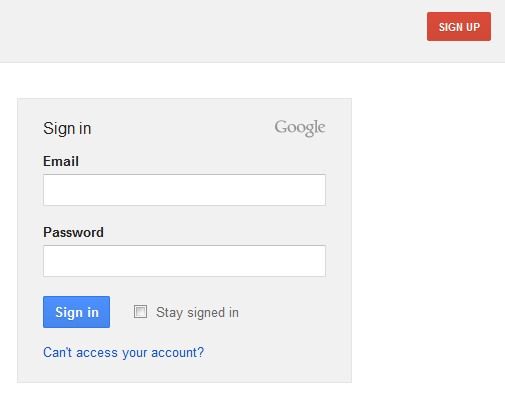
Create a gmail account by clicking SIGN UP on the right top then sign in to blogger.
If you already have a gmail account, you can immediately sign in with your account. click blogger profile and confirm your profile then click back to blogger.

Friday, August 03, 2012
Place an Image Into Text
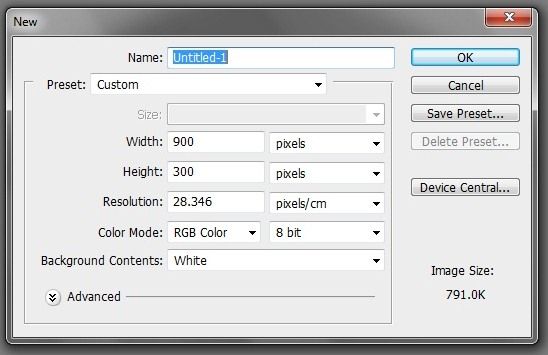
create a new file, adjust the size according to what you want.
select the horizontal type tool and write what you want.

select the horizontal type tool and write what you want.

Subscribe to:
Comments (Atom)